Can the sender provide the delivery address directly, rather than leaving it to the recipient?
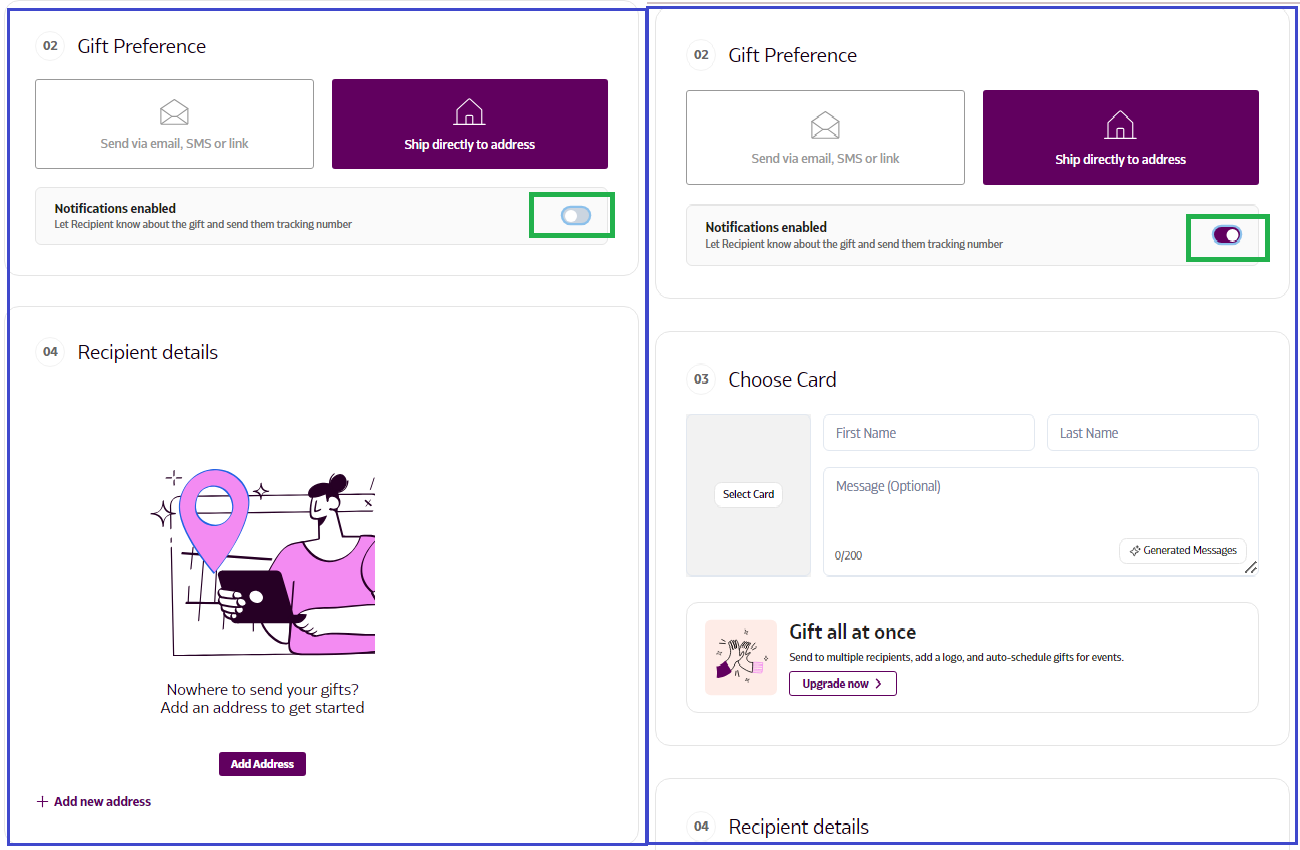
The sender can enter the recipient’s address directly, rather than sending a link via SMS or email. This way, the gift is sent right away without the option for the recipient to accept or swap it, and no card message will be included. You can also choose to send notifications if you’d like the recipient to get updates.
How to Enter the Recipient's Address Directly
- Log in to Supr using your credentials.
- Select the gift you wish to send and add it to your Gift Bag.
- Navigate to the 'Send Gift' option in the top right corner to proceed to checkout.
- In the Gift Preference section, choose 'Ship directly to address'.
- Toggle the notification setting (enable/disable) based on your preference.
- Enter the recipient's address in the Recipient Details section.