How can I schedule the delivery of a gift for a specific date?
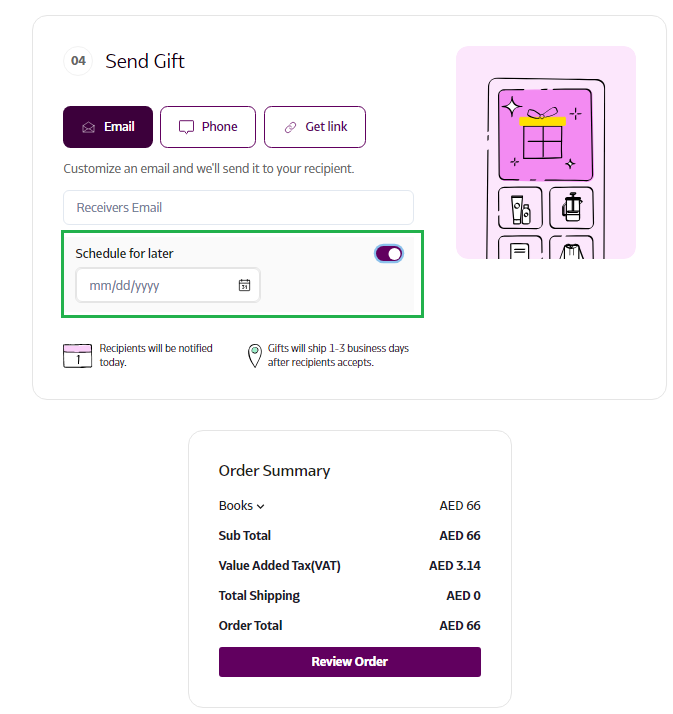
In the 'Send Gifts' section, you can choose the 'Schedule for Later' option. Your recipient will be notified on the date you select, and their gift will arrive within 1-3 days after they accept it.
How to Schedule a Gift Delivery for a Specific Date
- Log in to Supr using your credentials.
- Select the gift you wish to send and add it to your Gift Bag.
- Click on the 'Send Gift' option in the top right corner to proceed to checkout.
- In the 'Send Gift' section, enable the 'Schedule for Later' toggle and select your preferred delivery date.