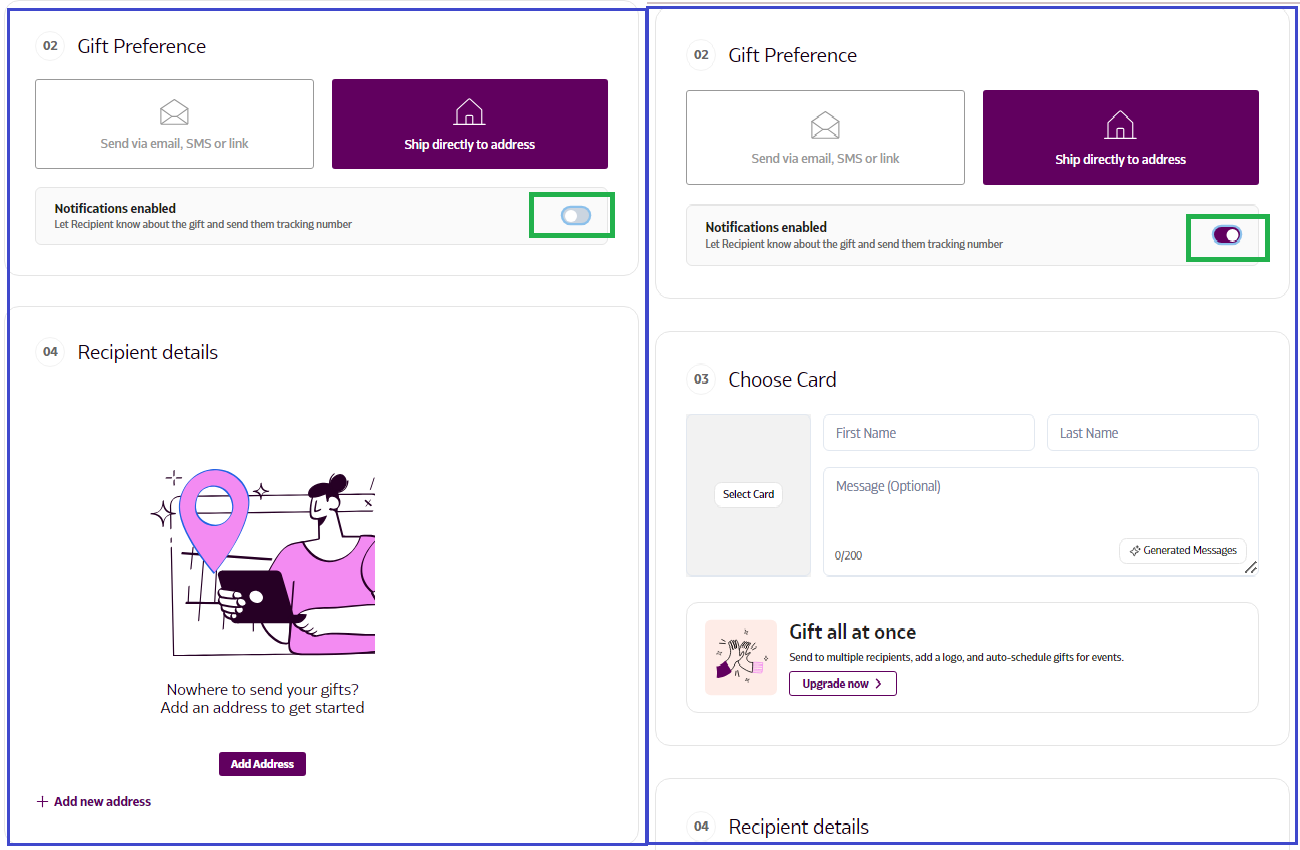
What happens if notifications are enabled when I provide the recipient's address?
If you enable notifications after providing the recipient’s address, they will receive an SMS with a gift link that digitally unwraps your greeting card and message.
If notifications are disabled, the gift will arrive as a complete surprise when it’s delivered to their door!
If notifications are disabled, the gift will arrive as a complete surprise when it’s delivered to their door!
How to Enter the Recipient's Address Directly
- Log in to Supr using your credentials.
- Select the gift you wish to send and add it to your Gift Bag.
- Navigate to the 'Send Gift' option in the top right corner to proceed to checkout.
- In the Gift Preference section, choose 'Ship directly to address'.
- Toggle the notification setting (enable/disable) based on your preference.
- Enter the recipient's address in the Recipient Details section.